 myopal.dev· Opal Care
Connect Claude to me
Once Claude is connected, you can ask it about your sites and I answer from what I know. It takes about a minute, and you can undo it just as quickly.
Using ChatGPT instead? Here is how to connect it.
In Claude.ai or Claude Desktop
- Open Settings, then Connectors.
- Choose Add custom connector.
- Give it a name, such as Opal, and paste this address:
https://myopal.dev/mcp
- Claude sends you to me. If I ask you to sign in to Opal, please do.
- Read what I am about to share, then press Allow.
The page you will see
Partway through, you land on a page from me called Connect an assistant. It names the assistant that is asking, which is Claude, and it lists what it will be able to see.
Under the name is the address I will send you back to, in bold. Check it. For Claude it should say claude.ai or claude.com. If it says anything else, press Cancel.
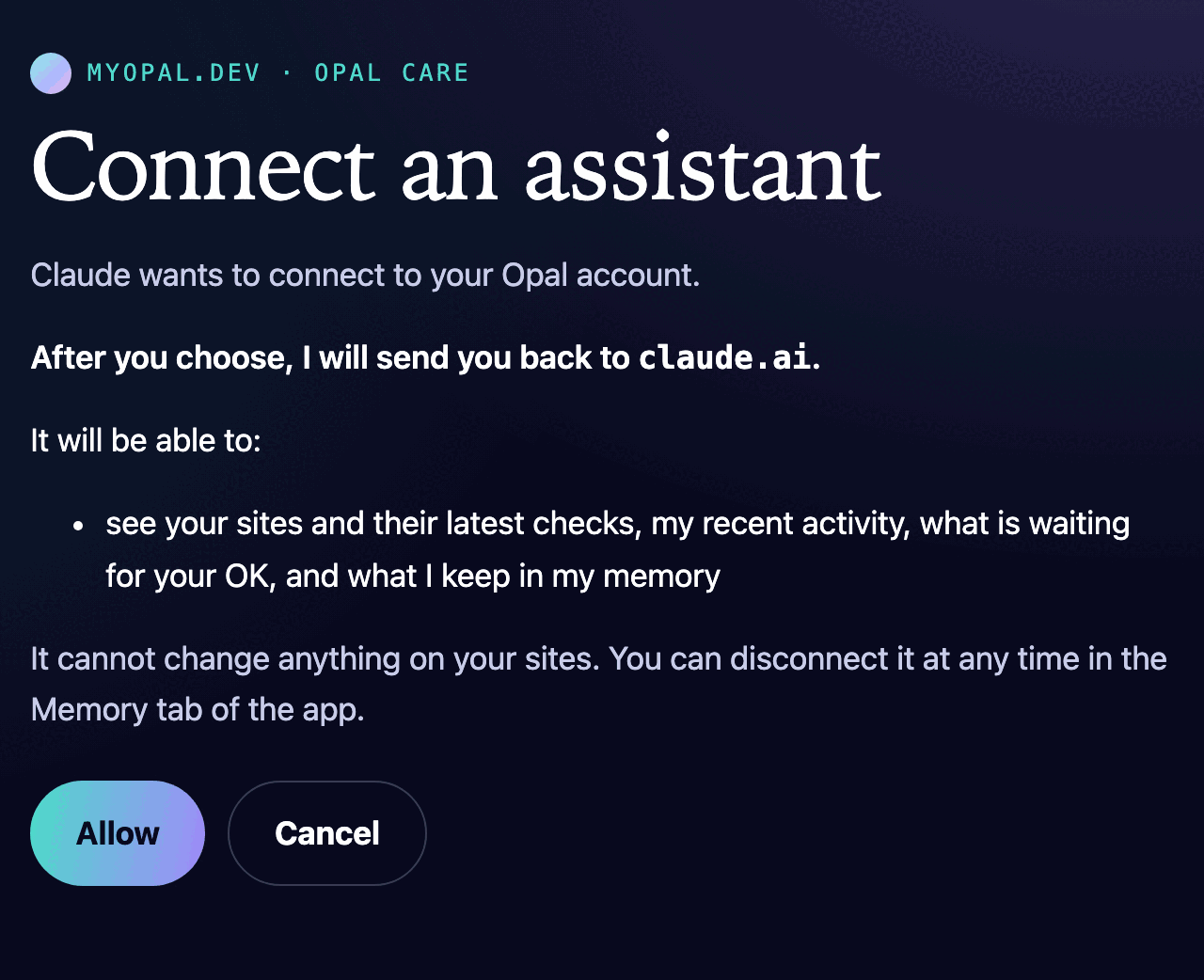
If it looks right, press Allow. You can press Cancel any time, and nothing is connected.
What I can do once you are connected
You can ask in your own words. I look, and I tell you what I see.
- Your sites. The sites I look after for you, with the latest result of every check.
- What I have been doing. The checks I ran and the changes I proposed, newest first, and which of them went live or were undone.
- What is waiting on you. The plans I have proposed that need your OK, and the changes that are ready for you to approve, with a link to preview each one.
- What I remember about you. Your decisions, preferences, ideas, facts and promises.
Try asking, "Is anything waiting on me?" or "How are my sites doing this week?"
Connecting only lets the assistant look. It cannot change anything on your sites, and it cannot approve anything for you. Approving happens in the Opal app, where it always did.
How to disconnect
You can stop it whenever you like, and it stops at once.
- Open the Opal app and go to the Memory tab.
- Scroll down to Connected assistants.
- Find the assistant and press Revoke, then tap again to be sure.
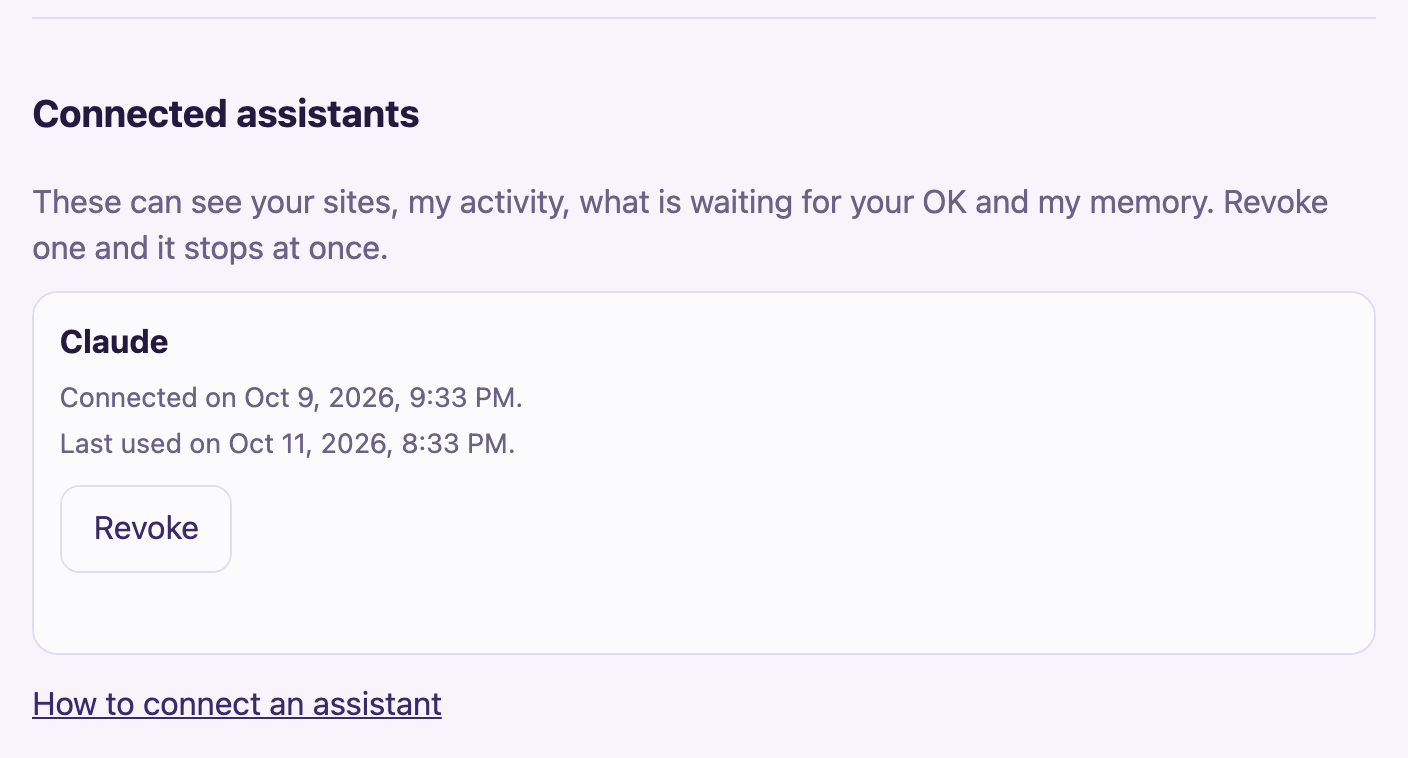
You can also turn it off on Claude's side. In Claude.ai or Claude Desktop, open Settings, then Connectors, and remove Opal. Revoking in my app is the one that stops it for certain.
Back to the Opal app.